Showing posts with label Tellagami. Show all posts

Monday, 12 May 2014

Resilience

Today's start to the new term was more of a lesson in resilience- for me- I think the boys didn't notice.

I had a plan that involved going outside the classroom and taking photos. It was raining. Hard.

I had a plan that the boys would use their iPads- they were flat after the holidays.

I had a plan that the boys would use the text feature of Tellagami- that feature didn't work today- there was an encoding problem.

I had a plan that the boys could all Flick their videos to me- Ethan's refused to.

We boxed on and made it work- as we do.

The boys wrote their stories into Tellagami text- I took a photo of the text on my phone- and the boys read aloud the text from my phone.

Not exactly what I had in mind but most of the boys had something to show for it at the end. The time frame is very short and I am a bit concerned that the boys are only writing very briefly in the time we have for the lesson.

I am going to see if a combination of blogging and images provides more opportunities for writing next week but most of the boys don't know their log in.

I will go through and log in for each boy and see if I can log in on their behalf so we don't stall before we even start when we try to blog next week.


Monday, 17 March 2014

Writing on the iPad using Tellagami

Today we took it to another step and did our writing directly on to the iPad using their text to voice option. Previously we had been writing on paper as a prompt to speaking. Today it was all on the iPad.

The boys, by now, are quite familiar with the Tellagami app so were able to quickly find their backgrounds and personalise their character.

When searching for images the boys are using Google Images fro the time being- one step at a time to use Creative Commons Images. I made up a new rule- you had to chose your background image from the first few rows of images as the boys were spending way to looking perusing and talking about the merits of each image and whether they wanted to use it or not.

I was able to bring my own Access Point to the internet so I knew we would be able to get strong wireless which this activity needed.

In the first group the boys turned up with dead flat iPads and no chargers. The joys of Monday morning! We paired up and shared iPads which has its pluses and minuses. Because they were working together on one iPad there HAD to be a dialogue. But then we had to resort to Paper, Scissors, Rock to decide on a story topic if it looked like developing into a full blown argument.


Reflections: 

  • Having my own Ubiquiti Unifi wireless access point is absolutely brilliant. A bit of a pain to take to and from school each visit but well worth it.
  • We now have a room we can use on a longer term basis rather than moving around each week. This is great.
  • I am getting better at the boys' names but as we write using Tellagami I now longer know who is talking because it masks the natural voices. We must make sure to include our names in the video.
  • One of the boys said he had downloaded the app on his family owned iPad with his mother's help and was experimenting with it at home as well. I must remember to let him know he can upload to Dropittome from home as well if he would like to share a finished artefact with me.


Monday, 3 March 2014

Ups and Downs

The trouble with working one day a week in school is that you can't really prepare infrastructurally beforehand. The room I was to work in for the first time this year had a very poor wifi and we really did need it for today's work so we started off there with the data projector and then moved to another room without a data projector but with internet. I thrive on chaos!

Today we did a similar activity to last week's Tellagami lesson but this time we got images from Google to write about and the boys could chose their own topics. The boys were delighted at the prospect of writing about Lego, shooting possums, speed boats, bikes and rugby.

To save the images from Google on the iPad we viewed the image and then pressed on it with our finger until save image came up- it saves to the camera roll.

The boys wanted to leap into recording but could see the point of writing down what they wanted to say as they had to practice it to make sure it was good enough for sharing- Tellagami fosters reading, writing and speaking.

A couple have twigged that you can just talk to the app without having to write down what you are going to say- the text and the video speeches don't match. Next week's work will sort that as we are going to use the text voices.

This time round the boys were much more confident with using the app and knew what they wanted to achieve quite quickly and more got their writing completed and uploaded to Drop It To Me via the blog. A couple were able to upload their videos independently so that made life easier.

The blog is now sitting on the iPad desktop of most of the iPads so it looks like an app and that works really well.

I gave the boys a newsletter introducing myself and giving the URL of the blog where we are sharing our work. Apart from a heap of them not taking the note home I think it is a good idea letting the parents know where to look and my email address if they want to follow up or ask questions.

A couple of the boys wanted to download the app on their home iPads - Tellagami is free so that makes that easy!

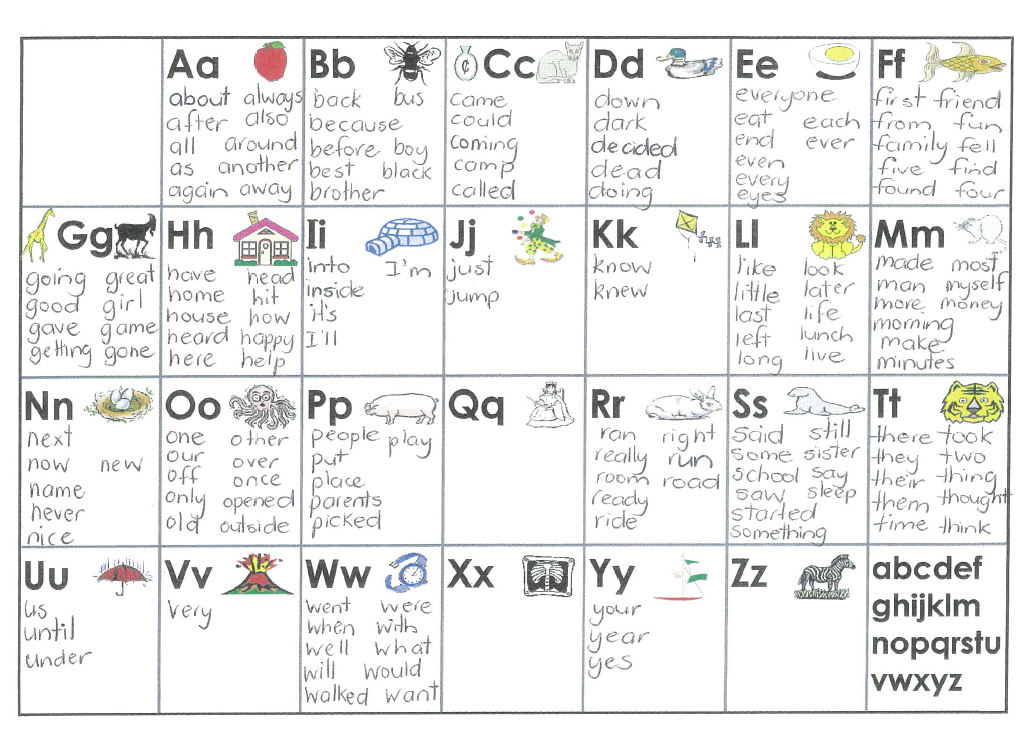
I photocopied and laminated some copies of my Spell-Write basic word lists so the boys can be more independent when sourcing basic words. You can download a copy for your own use by clicking on the link.


https://drive.google.com/file/d/0BwaO1y3EpG29TG1oVDJheWxCTU0/edit?usp=sharing

One of the teachers has her own personal copy of The Writing Book which she is happy to loan me for the week and the school is going to buy one as a reference. Yay!

Reflections: 

  • I need to have the data projector and the internet all happening in the same room- some of the boys lost focus in the shift but it was a brain break at the same time.
  • I need to have a better grip on the boy's names. Maybe I am leaping into outputs too quickly and not getting to know the boys well enough first- partly down to only seeing the boys for a short time once a week, partly because I am not good at remembering names. Maybe name tags is an idea for next week!
  • I am thinking a QR code to the learning artefacts might be a good way to share them in school. Will have to get a free QR Code maker/reader on to the school iPads.
  • Next week I will bring my Chromebook so I can help the keen Bloggers in the senior school. We are having some specific issues logging in on the Chromebooks that will take some time to resolve.
  • Looking forward to next week when we will use the text to voice features of Tellagami.
  • I still need to get the boys to support each other with the work- not to do it for their buddies.



Monday, 24 February 2014

Tellagami as a writing prompt and motivation for old school writing

Objectives:
  • Become familiar with a powerful app that is easily shared with learners back in their classrooms
  • Publish first autobiographical piece of writing, crafted for an audience and published on an iPad.
  • Grow capability of the learners to create and share what they have done.


The first tool we are going to explore is Tellagami. Here is the lesson sequence.

The Tellagami app (free)

What it does: Create a talking avatar by selecting various features. When done craft a piece of writing that takes no longer than 30 seconds to read aloud, record as a movie. Also have it read aloud for you in a variety of voices. Exports to the Camera Roll or via email. The app also works on your iPhone or iPad Touch.


It is also available for Android devices via Google Play

Lesson One:


Show the app- how it looks when it’s done. Share an example already published as an exemplar. Sharing a little more about the teacher at the same time.


  • Then share how to construct the character, take a photo and add the background.
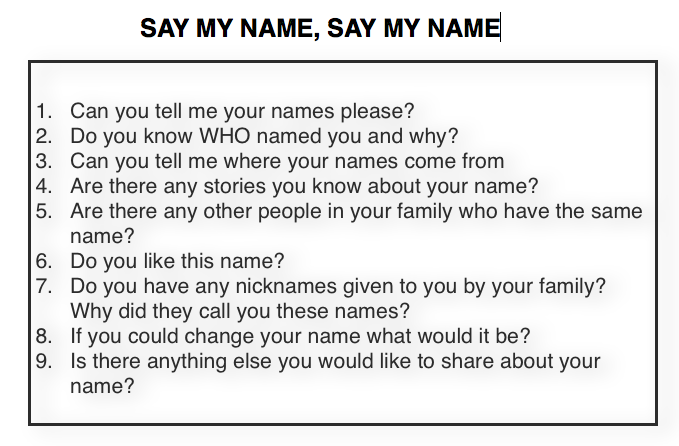
  • Learners craft their 30 second name challenge
  • Practice recording it.
  • A couple are published to the class blog


To get the videos or photos to me for uploading to Vimeo or YouTube use Drop It To Me


Need to have blog icon set up on the home screen of each of the iPads as an app like icon ready for children to access. The idea of Drop It To Me is that it links to your DropBox Folder for easy upload of photos and video.


Workflow- Tellagami- Camera Roll- Blog Link- upload to teacher Dropbox- upload to Vimeo- embed in blog for sharing- share blog with whānau.

Reflections: 

  • All of the boys were very motivated to get their writing done and could see the point of practising reading aloud to fluency if their creation was going to be shared.
  • Some of the boys could speak knowledgeably about how they got their name but some had no idea.
  • Pairing the boys up teina/tuakana was good so the older ones taught the younger ones- need some discussion around assisting the younger ones rather than doing it for them.
  • I need to have a basic Spell-Write list of the most common words available to each child so they can be more independent in accessing basic words.
  • I need to make my instructions more visible/spoken so the boys can hear my thinking as well as see it as we are working.
  • Dropittome worked a treat. Next time I will have the boys do the uploads themselves.
  • I need to construct a note to whanau sharing the blog URL with them so they can see and share their boys creations.
  • Some boys needed another ten minutes to get finished- time was tight. I think next time it will be easier as we covered a lot in the first activity.